Module 03 · MNT · Available
Your configuration tables, the same on every instance.
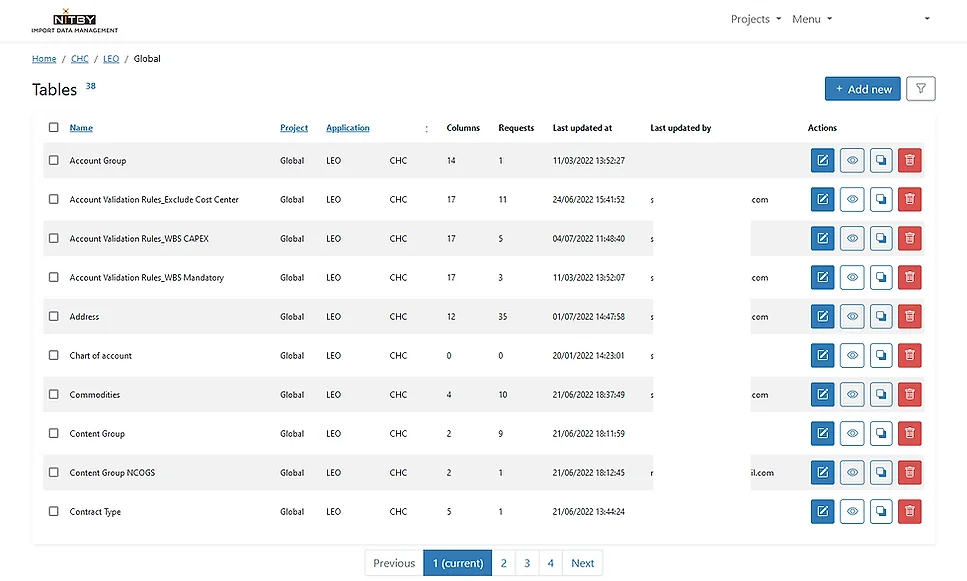
NITBY keeps your Coupa configuration tables in sync. Update every instance simultaneously.
How do you keep Coupa configuration tables in sync?
- Streamlined import templates (e.g., account validation rules).
- Custom field data checks.
- Per-table guidelines.
- Custom error messages.
- BPO-ready tooling.
- Automatic CSV conversion.
- Multi-instance sync.
- A bridge between Project and RUN teams.
In the product — 01 step
01
How it fits together

The other four modules.
- User Access ManagementFive fields in, a compliant Coupa user profile out — mapped to your Role Matrix, pushed automatically, with the trail an auditor asks for.
- Catalog ManagementHosted catalogue creation and updates end-to-end: one consistent format, quality checks before the load, and a comparison report between the last two versions.
- Transactional Data CompliancePreferred supplier, commodity and attached contract completed automatically on a purchase requisition, from your own procurement database.
- Integration MonitoringEvery Integration History message read and acted on: the requester notified, a ticket opened, the message marked Resolved — and resolved on its own where it can be.